




Free Plan: Enjoy 7 days of premium support for one requested club.
Best Volleyball Tournament Apps for Organizers and Coaches (2026)
Running a volleyball tournament is a juggling act. Between team check-ins, court assignments, referee schedules, pool standings, and last-minute changes, one missed update can throw an entire event off track. If your tournament is still being run on printed brackets, group texts, and a shared spreadsheet, you already know how quickly small mistakes turn into long lines at the scorer’s table and frustrated coaches asking “what court are we on?”
The right volleyball tournament app takes that pressure off your shoulders. It handles online registration, keeps schedules conflict-free, updates standings the moment a match ends, and puts live information directly into the hands of coaches, players, and parents — all from their phones.
This guide breaks down the best volleyball tournament apps for organizers and coaches in 2026, what each one is best suited for, and how to pick the right one for your event.
What to Look For in a Volleyball Tournament App
Before you commit to a platform, make sure it covers these fundamentals:
- End-to-end event management – A strong tournament app shouldn’t stop at brackets. Look for a platform that also handles online registration, entry fee collection, and post-event reporting, so you aren’t stitching together three separate tools for one event.
- Volleyball-specific scheduling – Pool play, set-based scoring, and multi-court rotations need software built with volleyball’s format in mind, not a generic bracket tool retrofitted for the sport.
- Real-time communication – Court changes and delays happen constantly during a tournament weekend. The platform should push instant updates to coaches and guardians instead of relying on someone shouting across the gym.
- Connection to season-long operations – Many clubs run a tournament as part of a bigger season. A platform that ties tournament management to your regular registration, payments, and rosters saves you from re-entering the same data twice.
Quick Overview: Top Volleyball Tournament Apps
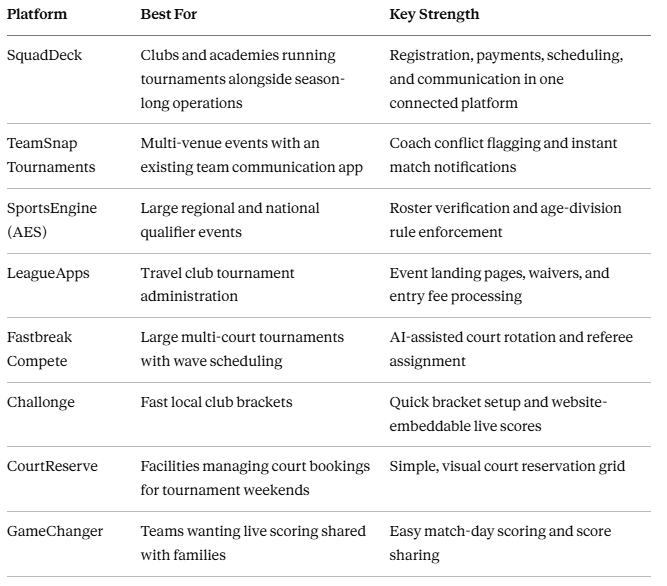
The Best Volleyball Tournament Apps, Reviewed
1. SquadDeck
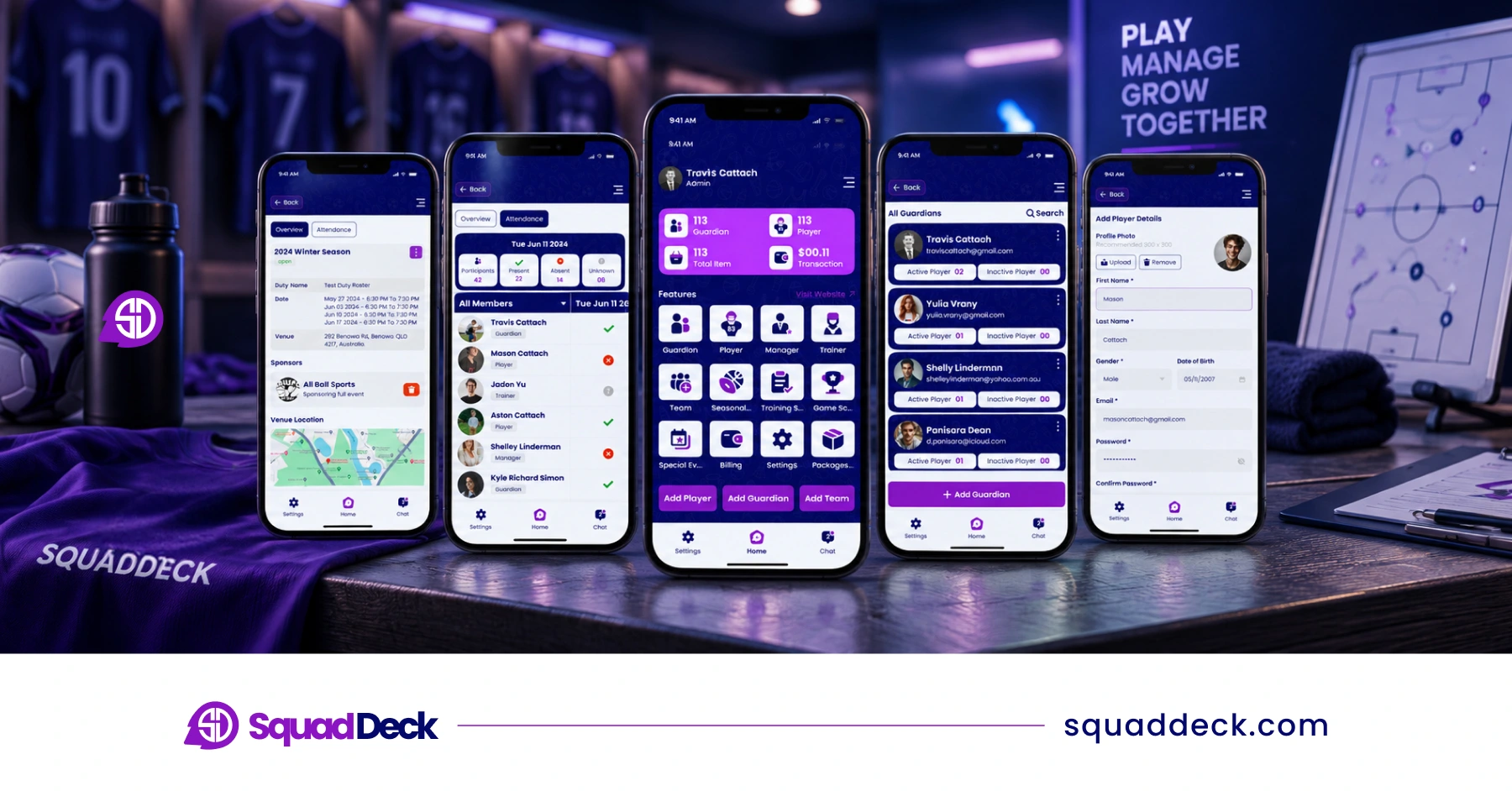
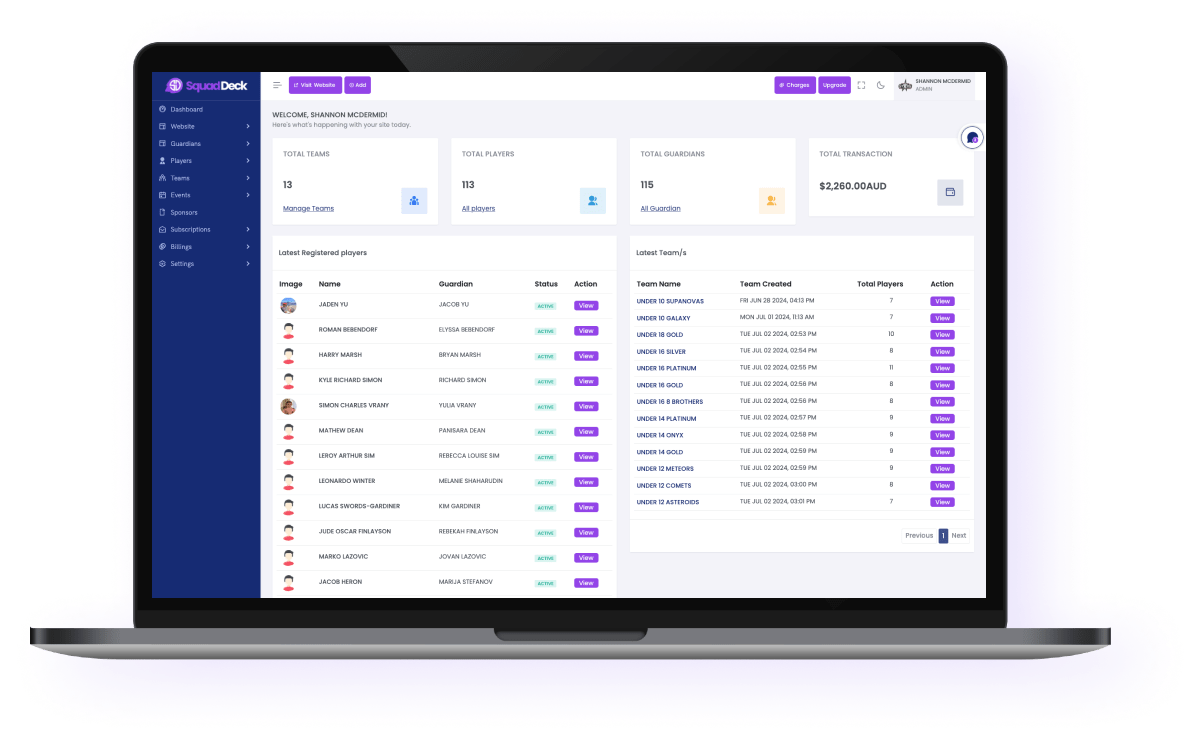
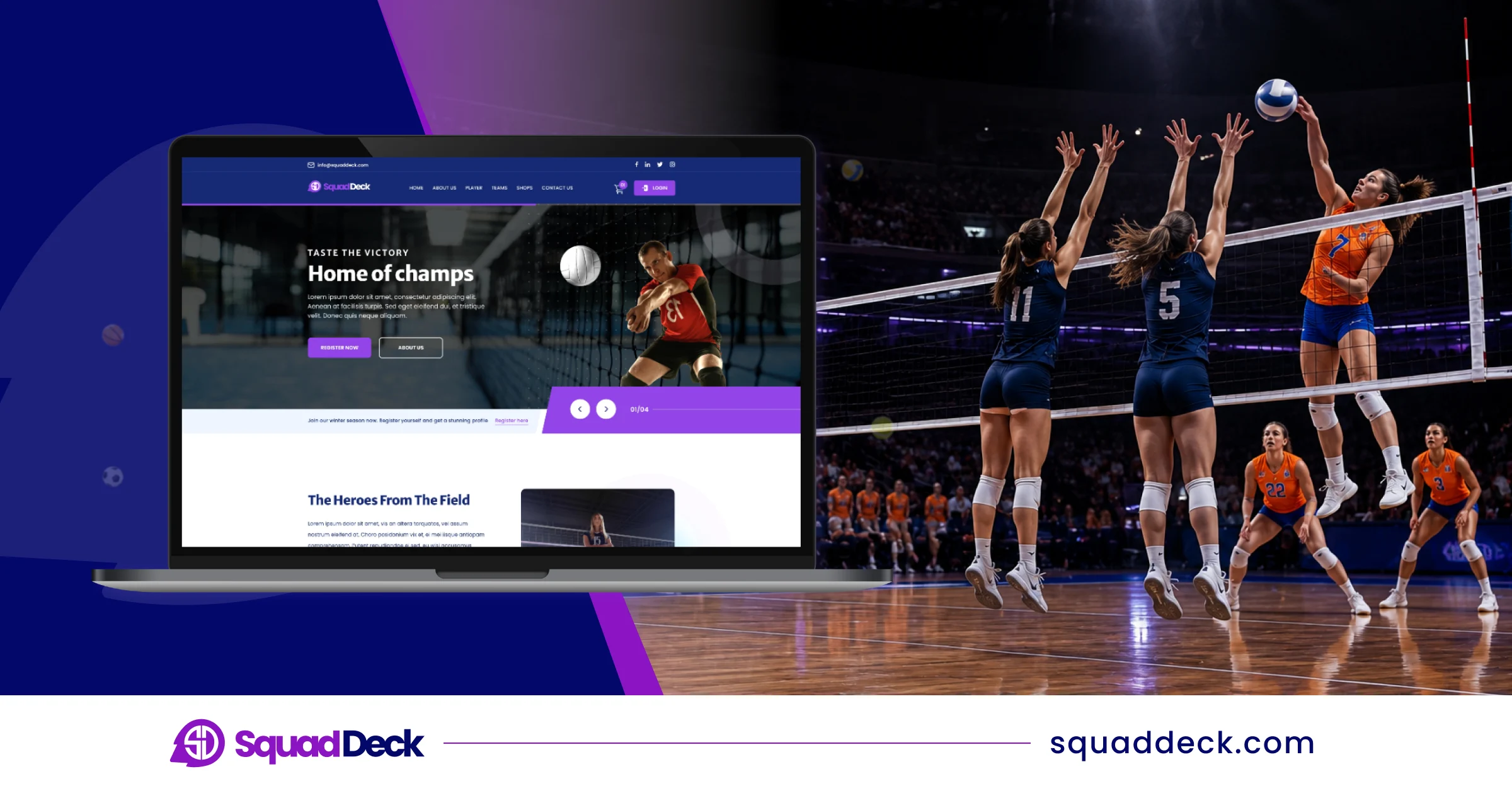
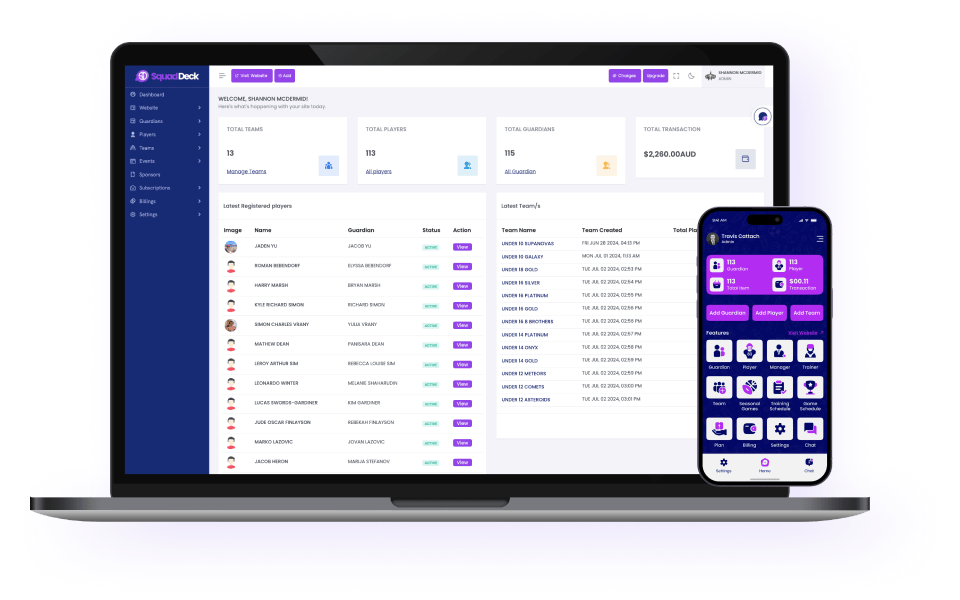
SquadDeck is an all-in-one sports club and academy management platform that brings tournament administration together with the rest of your club’s operations. Organizers can open online registration for teams and guardians, collect entry fees through a secure payment gateway, and build out event schedules — all from the same dashboard used to run the rest of the season. Real-time chat and notifications keep coaches, players, and guardians updated the moment a court or match time changes, and the built-in mobile app (Android and iOS) means everyone has the schedule in their pocket. Clubs that also want a tournament landing page can use SquadDeck’s website builder to publish one without hiring a developer.
Best for: Clubs and academies that want tournament-day operations connected to guardian management, payments, and communication, instead of running the event on a separate, disconnected tool.
Pros: One login covers registration, payments, scheduling, and parent communication, so information entered before the event carries through to tournament day without duplicate work.
2. TeamSnap Tournaments
TeamSnap Tournaments is built to manage complex, multi-venue events. Its scheduling engine flags when a coach is double-booked across courts and pushes live match notifications straight to followers in the app.
Best for: Directors who need automatic coach conflict detection and already use TeamSnap for season-long communication.
Pros: Families already familiar with the TeamSnap app get tournament updates without learning a new system.
Cons: Full tournament features typically require a paid tier, and the platform is built primarily around communication rather than payments or registration.
3. SportsEngine (AES)
SportsEngine scales from small local brackets to large national qualifier events, with scheduling that respects age-division rules and integrates with SportsEngine’s network for roster verification.
Best for: National qualifiers and sanctioned events where player eligibility checks are mandatory.
Pros: Roster verification reduces the risk of eligibility disputes at high-stakes events.
Cons: The platform’s size and pricing can be more than smaller community tournaments need.
4. LeagueApps
LeagueApps is widely used for season-long leagues but also supports tournament-specific tools for travel clubs, including event landing pages, digital waivers, and entry fee processing.
Best for: Travel clubs that want a polished registration and waiver experience before the event begins.
Pros: Strong pre-event administrative workflow that creates a professional first impression for participating families.
Cons: Live bracket management and in-event scoring are less developed than dedicated tournament-day tools.
5. Fastbreak Compete
Fastbreak Compete is an AI-assisted platform built for the operational demands of volleyball tournament directors, including wave scheduling and automated referee assignment.
Best for: Large multi-court tournaments where court rotation and referee coordination are the biggest challenges.
Pros: Automating wave scheduling cuts down significantly on manual planning time.
Cons: Built mainly for tournament-day operations, so pre-event registration and post-event billing often require a separate tool.
6. Challonge
Challonge is a long-standing tool known for how quickly it can set up single or double elimination brackets, with the option to embed live results on a club website.
Best for: Local club events and recreational tournaments where speed of setup matters most.
Pros: One of the fastest ways to get a clean, shareable bracket online.
Cons: Lacks volleyball-specific features like pool play grouping and referee assignment.
7. CourtReserve
CourtReserve started as a court-booking tool for racquet sports and pickleball but has been adopted by some indoor volleyball facilities for its simple reservation grid.
Best for: Facilities that need straightforward court booking during a tournament weekend.
Cons: Lacks dedicated bracket tools, pool standings, and athlete development features that competitive clubs typically need.
8. GameChanger
GameChanger focuses on match-day scoring that families can follow live from their phones.
Best for: Teams that want simple, sharable live scoring during matches.
Cons: Not built for full tournament administration — registration, payments, and scheduling need a separate platform.
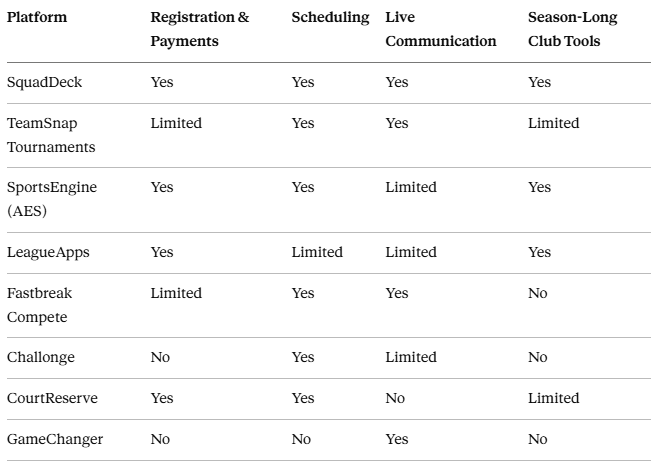
Feature Comparison
How to Choose the Right Volleyball Tournament App
 Running a tournament alongside a full club season: A connected platform like SquadDeck keeps registration, payments, communication, and scheduling under one roof, so you’re not re-entering the same guardian or payment information across multiple tools.
- Organizing a large, multi-court qualifier: Platforms like Fastbreak Compete or SportsEngine bring the automated scheduling and eligibility checks that larger events need.
- Running a fast, local bracket: Lightweight tools like Challonge get a clean bracket online in minutes when your event doesn’t need heavier administrative features.
 Running a tournament alongside a full club season:
Whatever the size of your event, the goal is the same: replace paper sign-in sheets and scattered group chats with a system that updates everyone automatically the moment something changes.
Ready to Run Your Next Tournament on One Platform?
SquadDeck brings registration, secure payments, scheduling, and real-time communication together in one place — so your tournament runs on the same system as the rest of your season. Get started with SquadDeck for free and see how much easier tournament day can be.
Frequently Asked Questions
What is the best free volleyball tournament app?
SquadDeck offers a free plan that covers guardian and player management, scheduling, and a pre-made website template, making it a solid starting point for smaller clubs before upgrading for larger events.
Can one app handle both registration and live scheduling for a volleyball tournament?
Yes. Platforms like SquadDeck are built to manage both sides — collecting registrations and payments before the event, then keeping schedules and communication updated in real time once the tournament begins.
Do these apps send instant updates when a match or court changes?
Most modern tournament platforms, including SquadDeck, use real-time chat and notification systems to alert coaches, players, and guardians the moment a schedule changes, instead of relying on word of mouth around the gym.
How far in advance should a tournament schedule be shared with teams?
Sharing initial court assignments and match times at least 48 hours before the event, with instant notifications for any later changes, is the standard that keeps confusion to a minimum on tournament day.
Latest Sports